Novo Quote
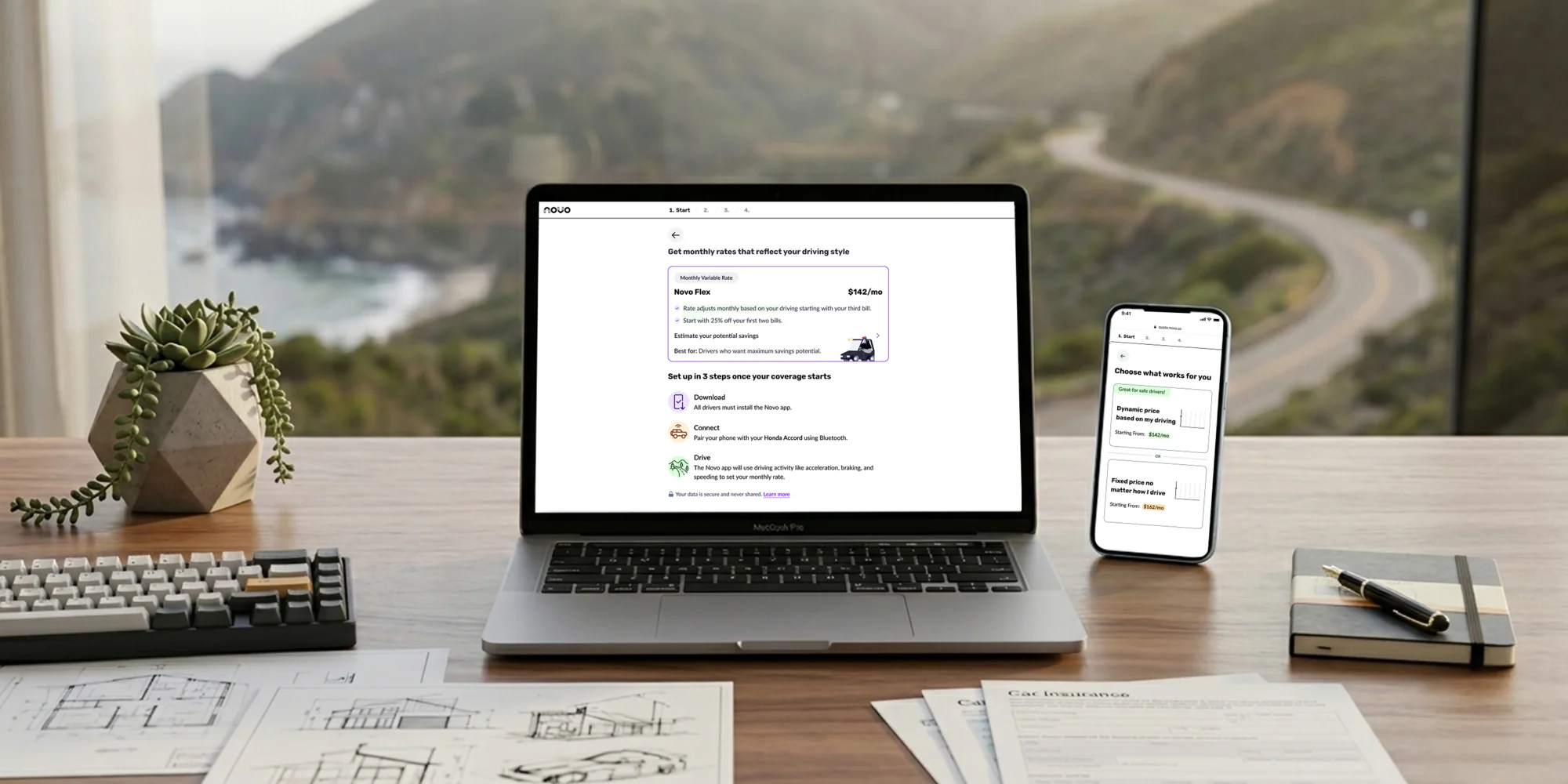
Overview
Tripled quote completion on Novo's car insurance sign-up by asking one question at a time (progressive disclosure) and skipping the ones that don't apply (simplifying the flow).
Tripled quote completion on Novo's car insurance sign-up by asking one question at a time (progressive disclosure) and skipping the ones that don't apply (simplifying the flow).
Context
Novo Quote is Novo's primary customer acquisition product, the main way the company brings in new policyholders. Users arrive from lead partners like Insurify and MediaAlpha, paid ads, and organic traffic.
When I joined in late 2024, the flow was underperforming. The form felt long, some fields were confusing, and users were dropping off before finishing.
Another product designer and I split the redesign by funnel step. I owned the UX and UI for Start, Household and e-sign, and did the research that made the case for the rebuild. We worked with a PM and a team of five engineers.
Problem
"84% of insurance leads abandon their quotes, the highest abandonment rate of any industry."
ProPair / Industry Research

The original experience put every question on one long scrolling page: a dense form asking users to process and fill out everything at once. It was built desktop first, but most people were coming in on their phones. Few made it to the end.
There was also no data pre-fill: users had to retype information Novo already had. And everyone saw every question regardless of their situation, with no sense of progress or whether they'd even qualify.
Underneath sat real complexity: strict regulatory rules about which questions get asked and in what order, plus branching logic that compounds fast. The core problem was handling all of that while still feeling simple and linear.
Process
A question-by-question redesign meant rebuilding the entire funnel from scratch, which was no small ask. So I built the case first: competitive analysis, funnel analytics, and session replays. The replays were the most convincing part. Users weren't just leaving because the flow was long; they were retyping information Novo already had.
That evidence won over the PM and stakeholders. Along the way I also cleared the smaller usability debt: unclear labels, broken interactions, confusing copy. Rather than rebuild all at once, we phased the rollout over three months, validating as we went.
Competitive analysis, product analytics, session replay review, and getting stakeholder buy-in on the question-by-question direction and pre-fill strategy.
Designing the conditional branching logic, defining which questions could be skipped, and establishing the entry experience for different traffic sources.
Rolling out the redesigned flow in stages across the funnel over three months, iterating based on performance data along the way.
Refining copy, improving rate estimate placement, flagging ineligible users earlier, and polishing the overall experience.
Solution
The redesign starts from the phone, where most people come in, and scales up to desktop.
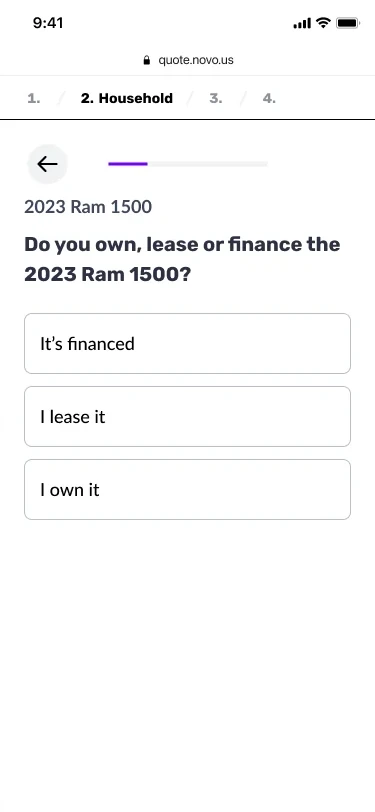
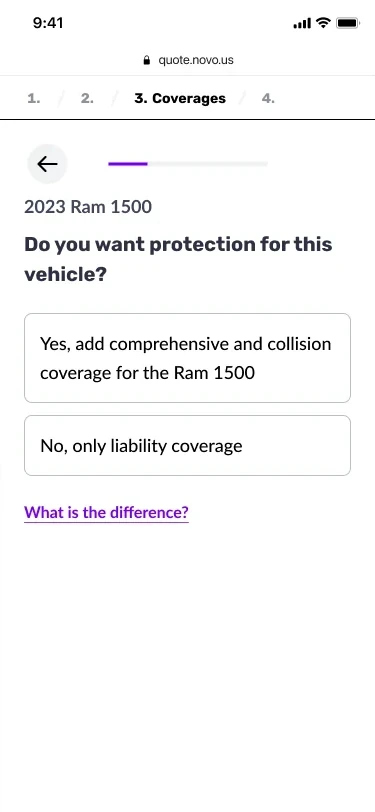
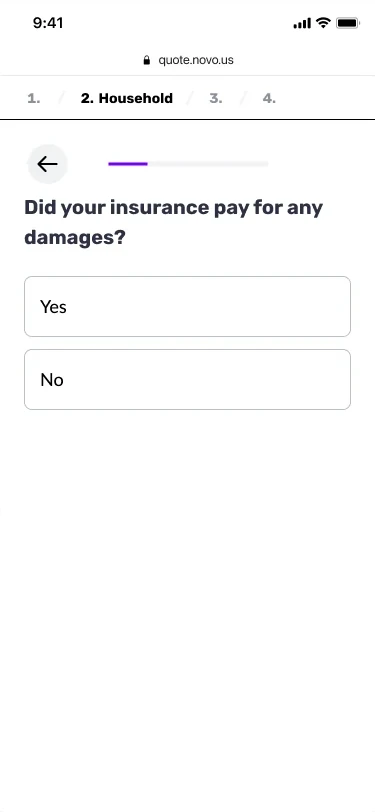
One question per screen, and no "Next" button: tapping an answer advances the flow, which cut required taps roughly in half. Each tap also moves people visibly forward, and that steady sense of progress keeps them going to the end of the quote.
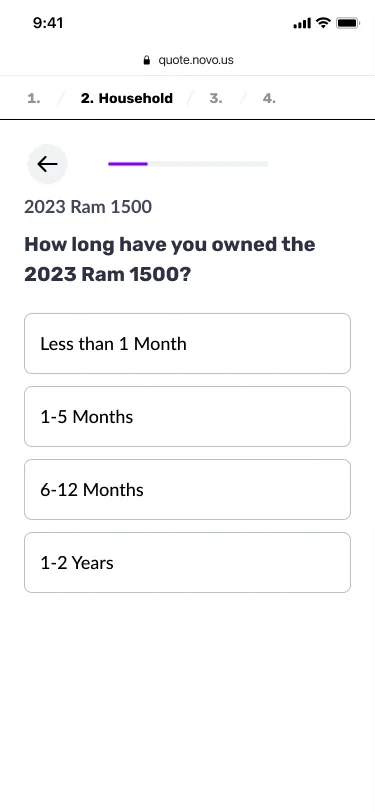
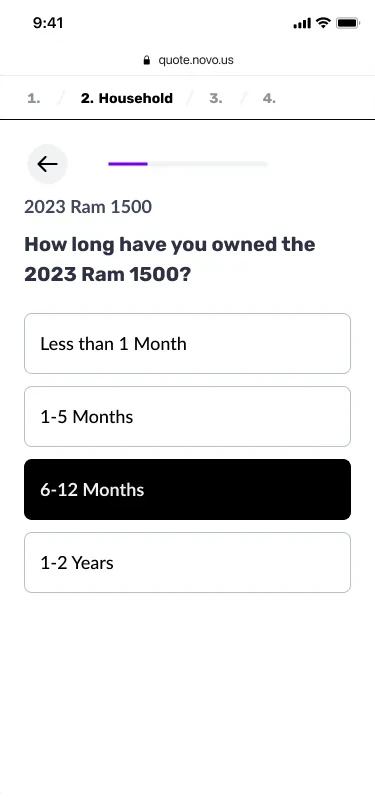
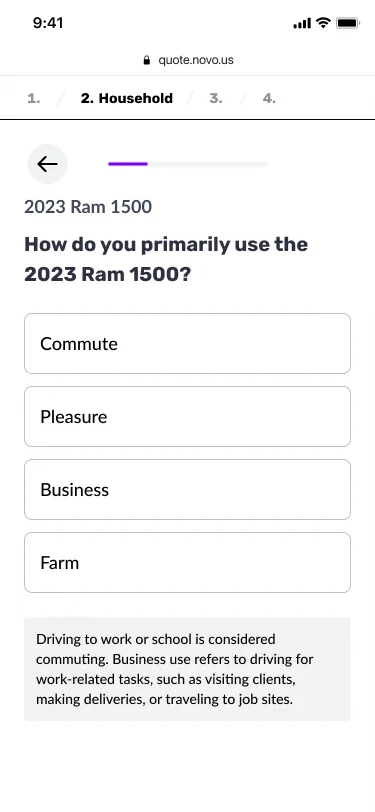
Almost every dropdown in the old form became a question with its answers laid out, so people see all their options and answer with one tap. Seeing every option also means fewer wrong picks, and the answers fill in the context, so the questions themselves can be shorter.
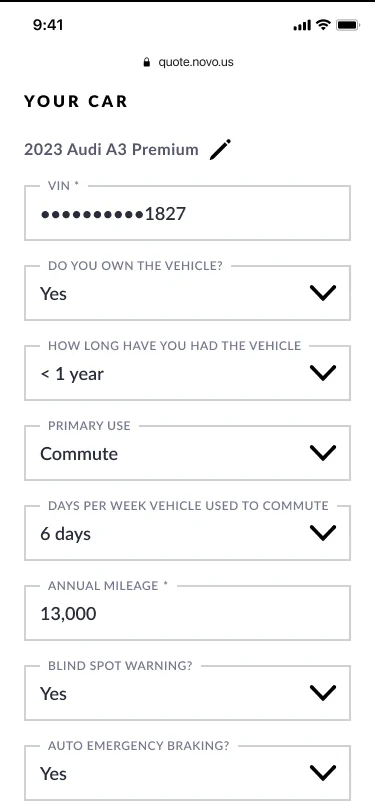
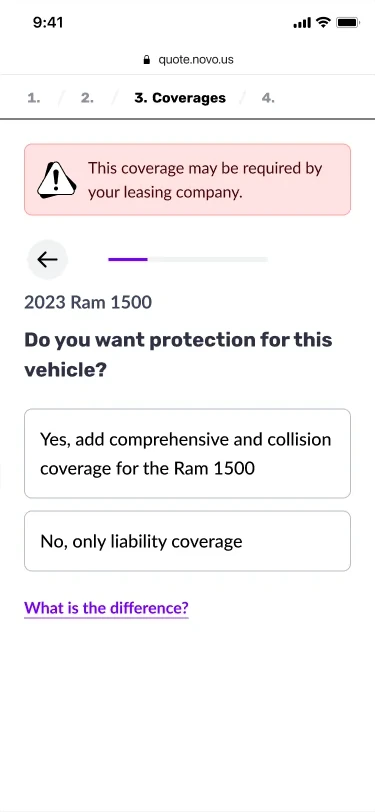
Answers trigger conditional branching behind the scenes. If a question isn't relevant, users skip it without knowing. If more detail is needed, a follow-up appears.
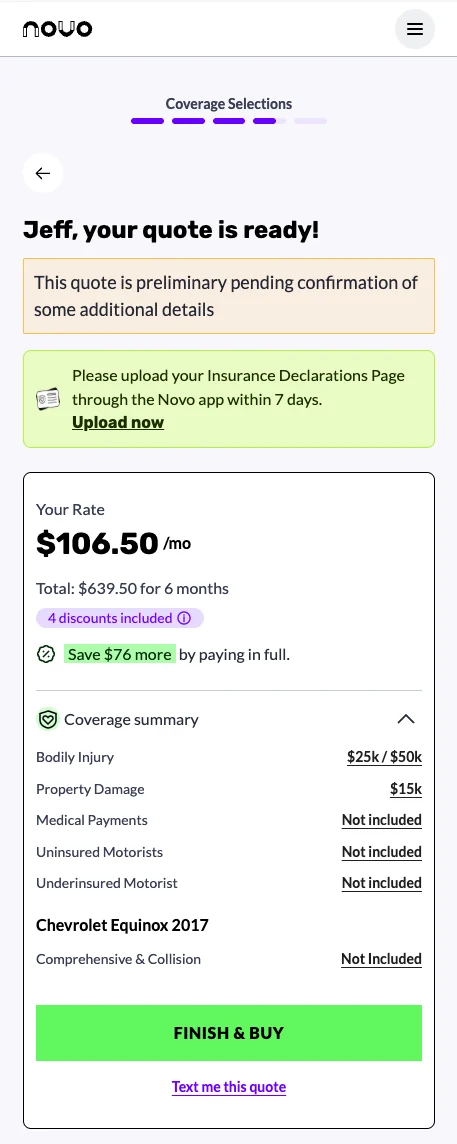
We surfaced the rate estimate earlier, so users aren't waiting until the final screen to see a number. Rather than updating it in real time, we show it at specific moments.
A live price that updated with every answer, like TurboTax. In user testing with rough prototypes, it started low and then mostly climbed as drivers, cars and driving history went in. People ended up less happy with their rate. The trick is to strike the right balance between accuracy and timing.
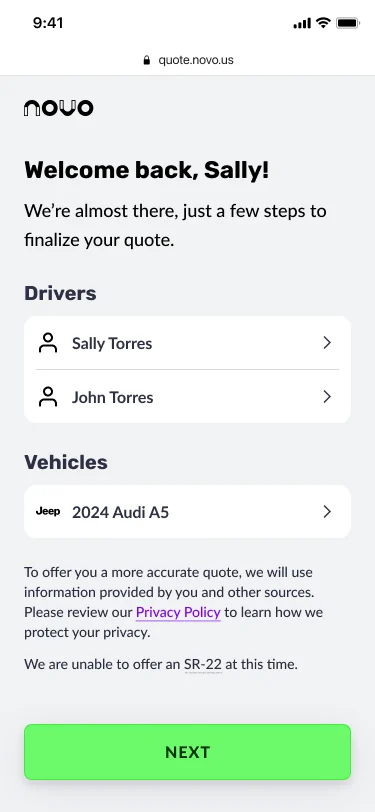
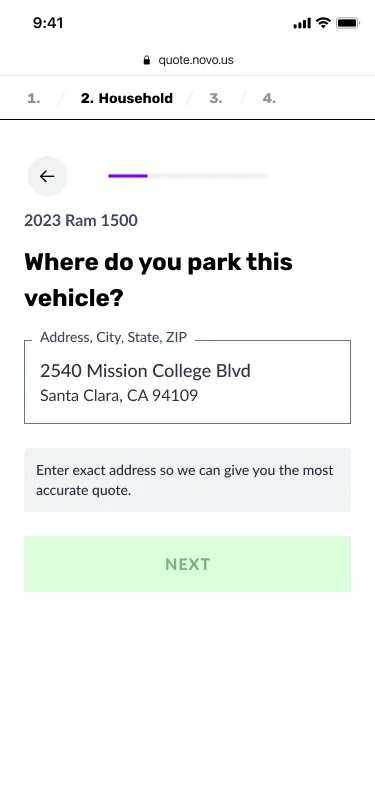
A background check at entry, plus information from lead partners, fills in what we already know. People confirm it instead of typing it again, which saves them time on every step.
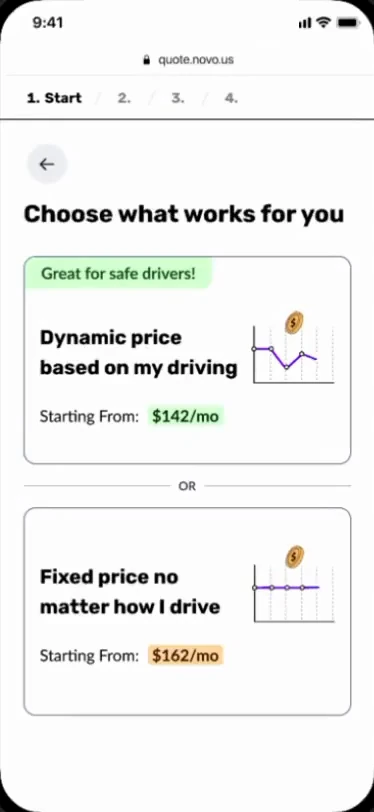
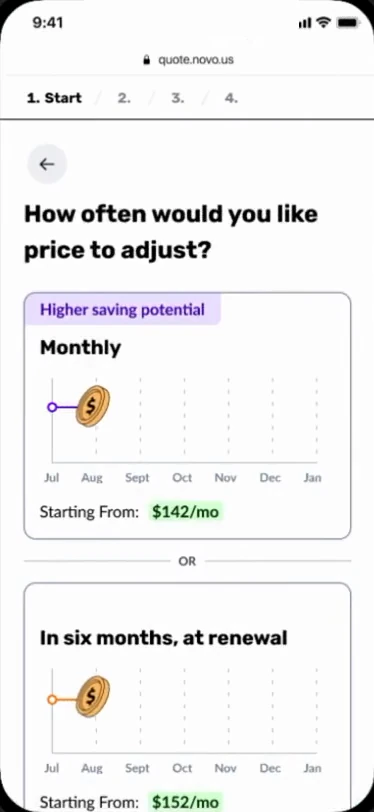
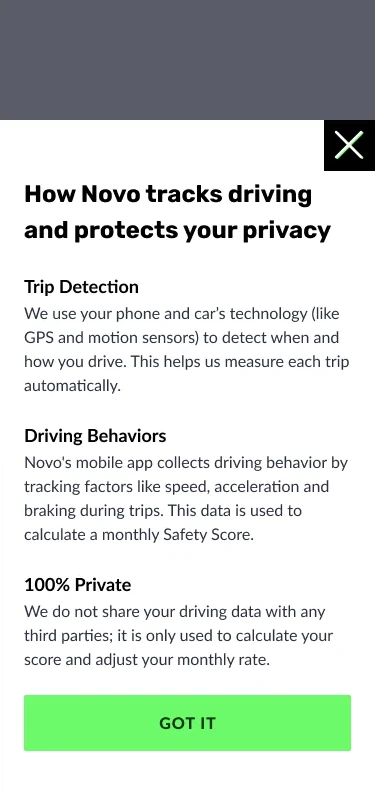
Most users aren't familiar with telematics-based insurance and how it works. We break the concept across a few screens, in visuals and plain language, right when it's relevant.
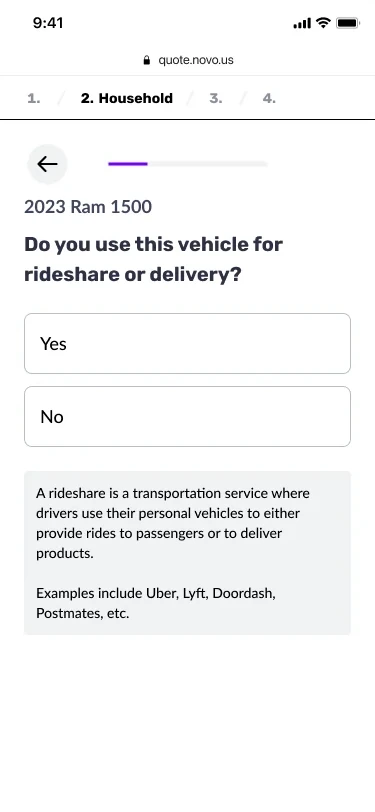
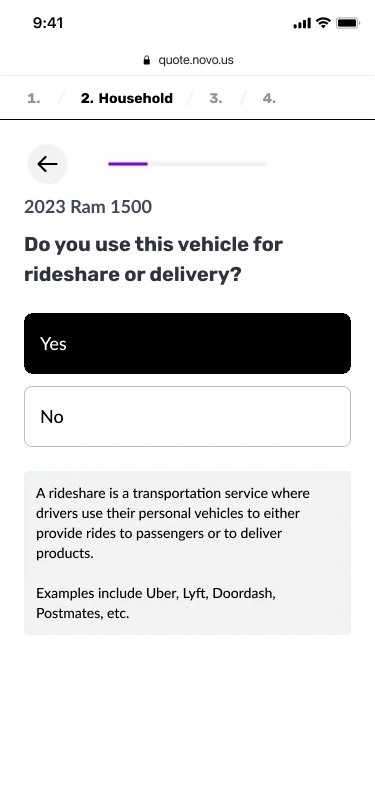
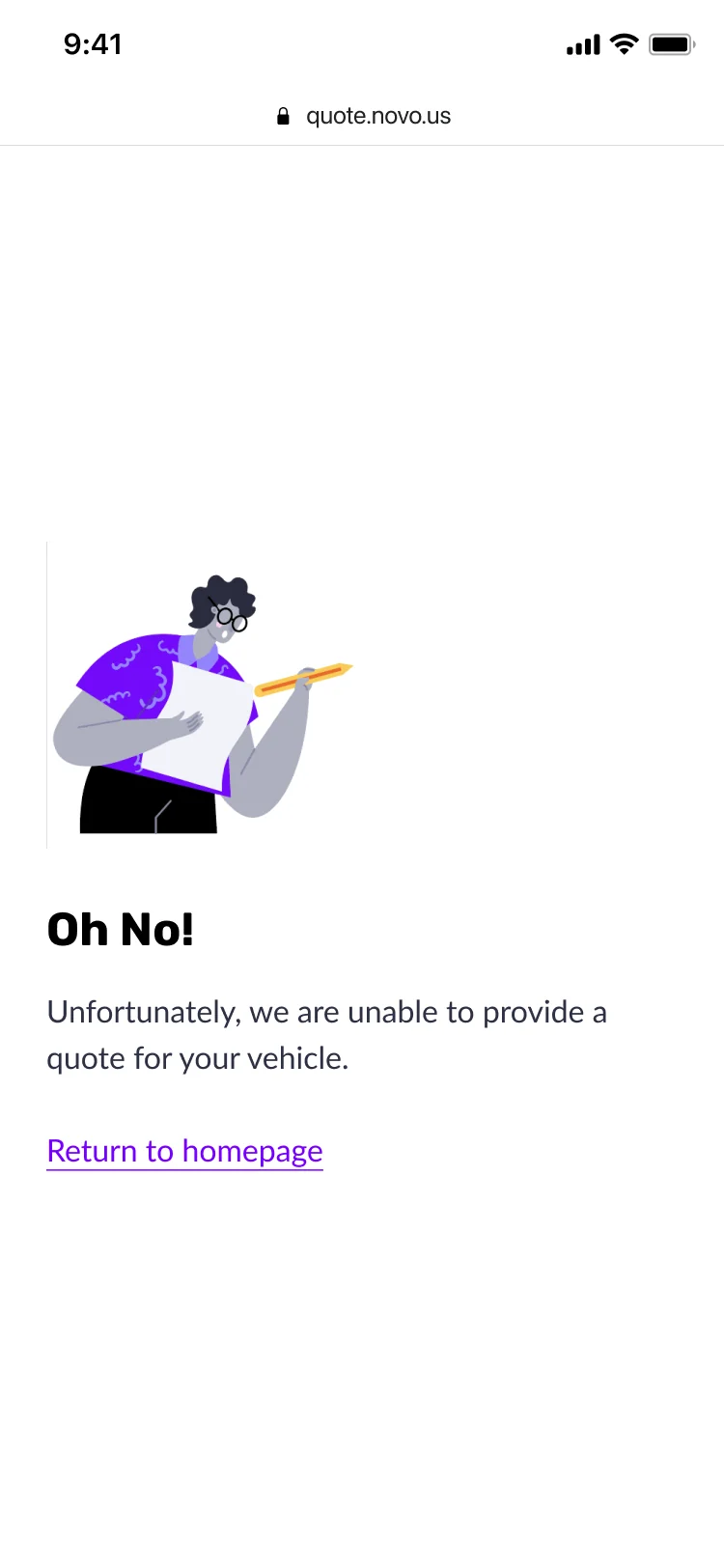
Previously, some users completed the entire flow only to learn at the end they didn't qualify. We now flag them earlier, which saves them the time of filling out the rest.
Most people start a quote on their phone, but some come in from a laptop. The flow is responsive, so it works on both: the same one-question screens, with more room for the rate and summary. Progress carries across devices, so someone can start on their phone and finish on a laptop, or the other way around.
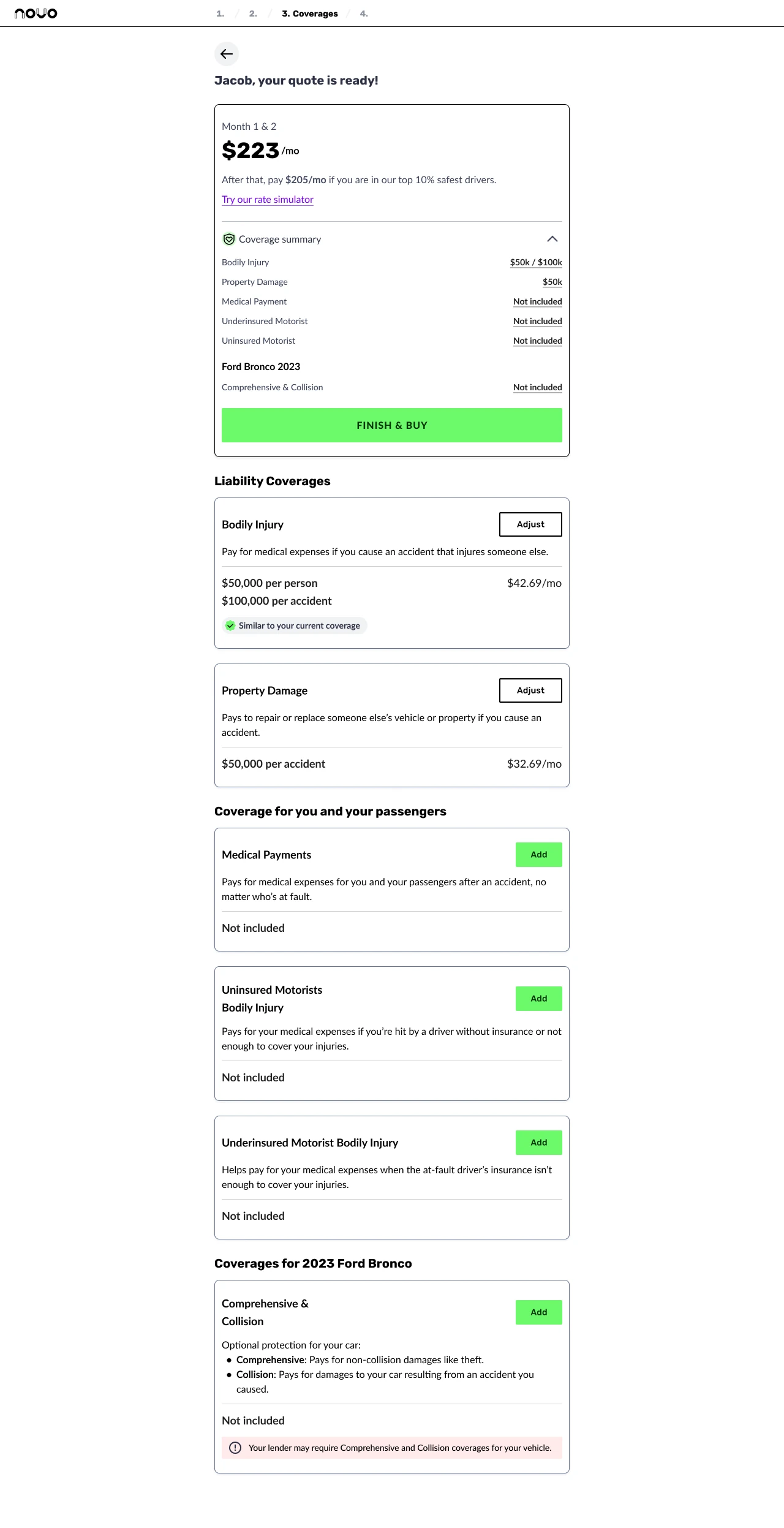

The Flow
Eight steps from first landing to active policyholder. Each one designed to ask only what's necessary, pre-fill what we already know, and keep the user moving.
The user sees what we already know about them, or a clean slate if they're coming in cold.
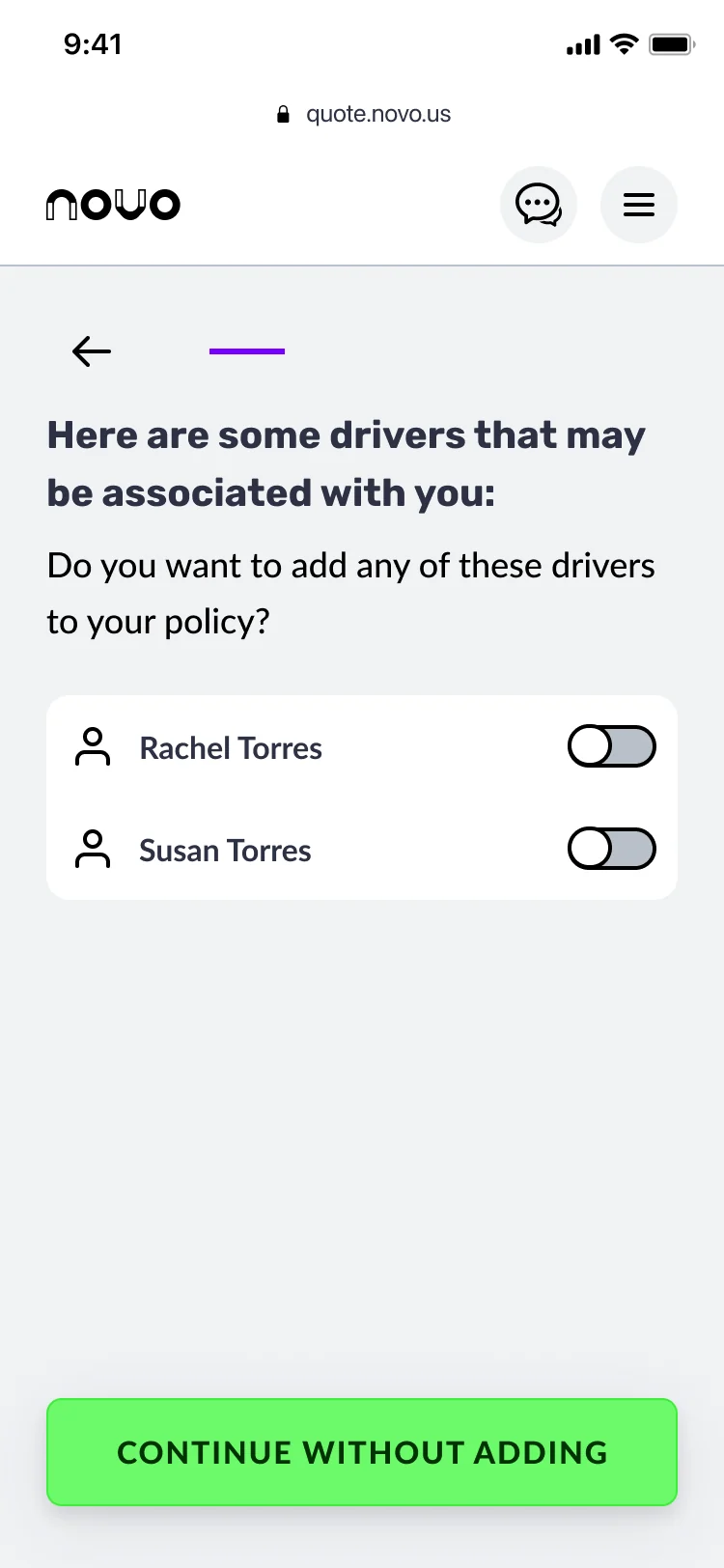
Drivers found in the background check are offered to confirm rather than retype.
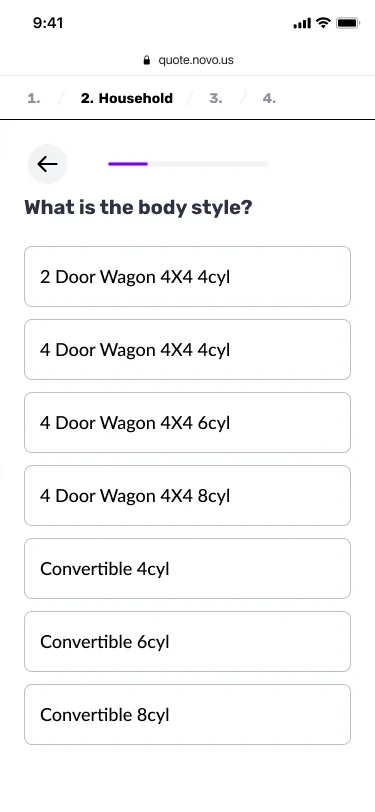
Each vehicle is added one question at a time, and the rate estimate updates at the right moment.
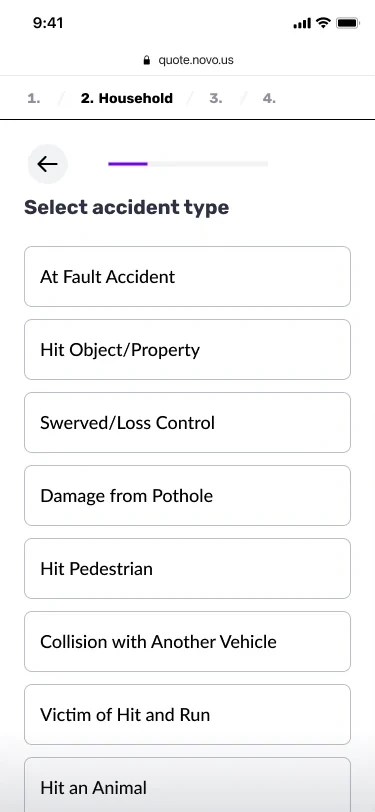
Driving history is collected or pulled from the background check.
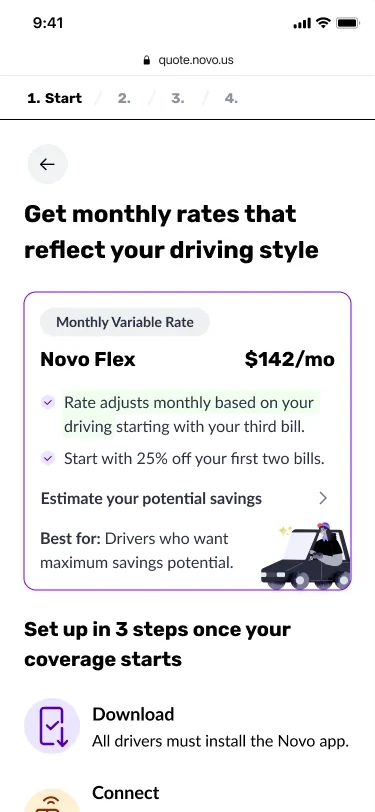
Users choose between a price based on their driving and a fixed price.
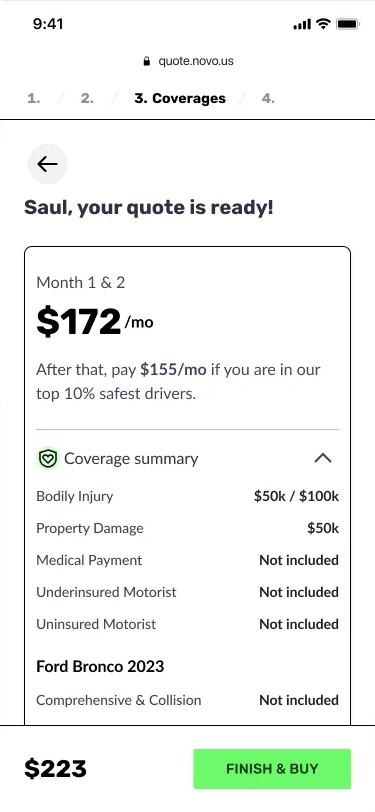
The user reviews the full quote. Changes can still be made.
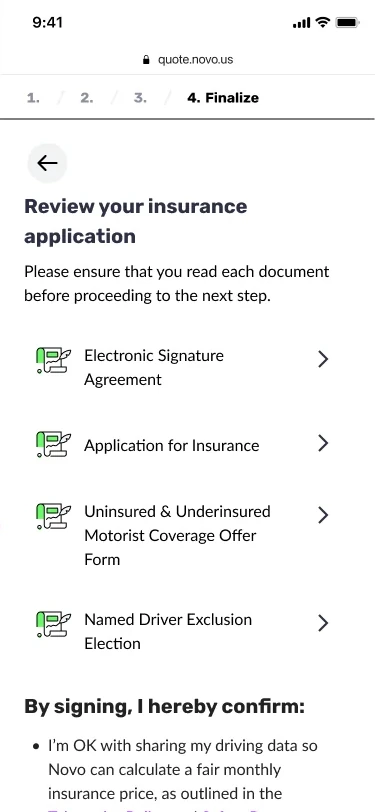
Electronic signature, email verification and payment. The user is now a Novo policyholder.
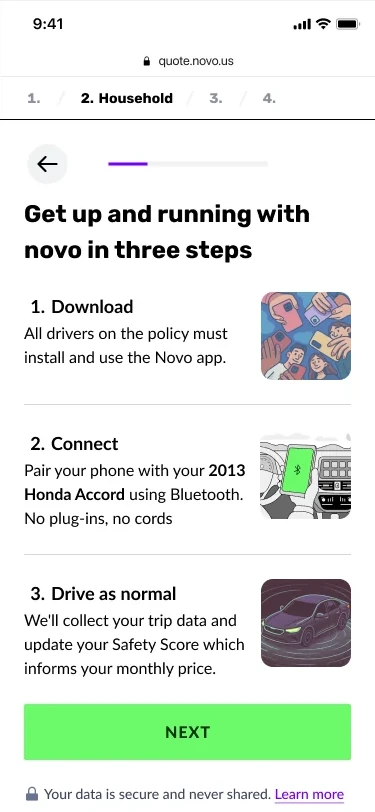
Users download the Novo app and connect their car to start the safety program.
Outcome
Every key metric improved from Q1 to Q2 2025.
The table compares Q1 against Q2.
| Q1 2025 | Q2 2025 | ||
|---|---|---|---|
| Quote Completion % | 16% | 50% | 3× |
| Quote to Bind % | 4.5% | 9% | 2× |
| Visitor to Bind % | 0.3% | 2.8% | 10× |
| # of Binds | 31 | 958 | 30× |
Time to quote dropped to around five minutes on average, with one user finishing in under forty seconds. New customers also showed stronger risk profiles, since the smarter flow collects better-quality data.
Novo Quote is live and growing. Over 2,500 paying customers as of November 2025. These are monthly subscribers, not free sign-ups.
Growth was deliberately slowed after launch, trading volume for customer quality. More on that in the reflection below.
Reflection

The question-by-question pattern was the biggest lever, but not an obvious call. It took research to back it up, data to make the case, and stakeholder trust to execute.
What I didn't see coming was the churn. After a strong launch quarter, a meaningful number of customers dropped off within months. Optimising hard for conversion had a side effect: we were letting through users who weren't the right fit. The team tightened acquisition criteria and pulled back on ad spend, trading volume for quality. It was the right call. Since then, when I design a funnel I look at who comes out the other end as well as how many.