Case Study

Novo Driver App

Designing the core experience of a telematics-based insurance app. Where driving behavior determines your insurance premium.

Lead Product Designer
iOS & Android
Shipped
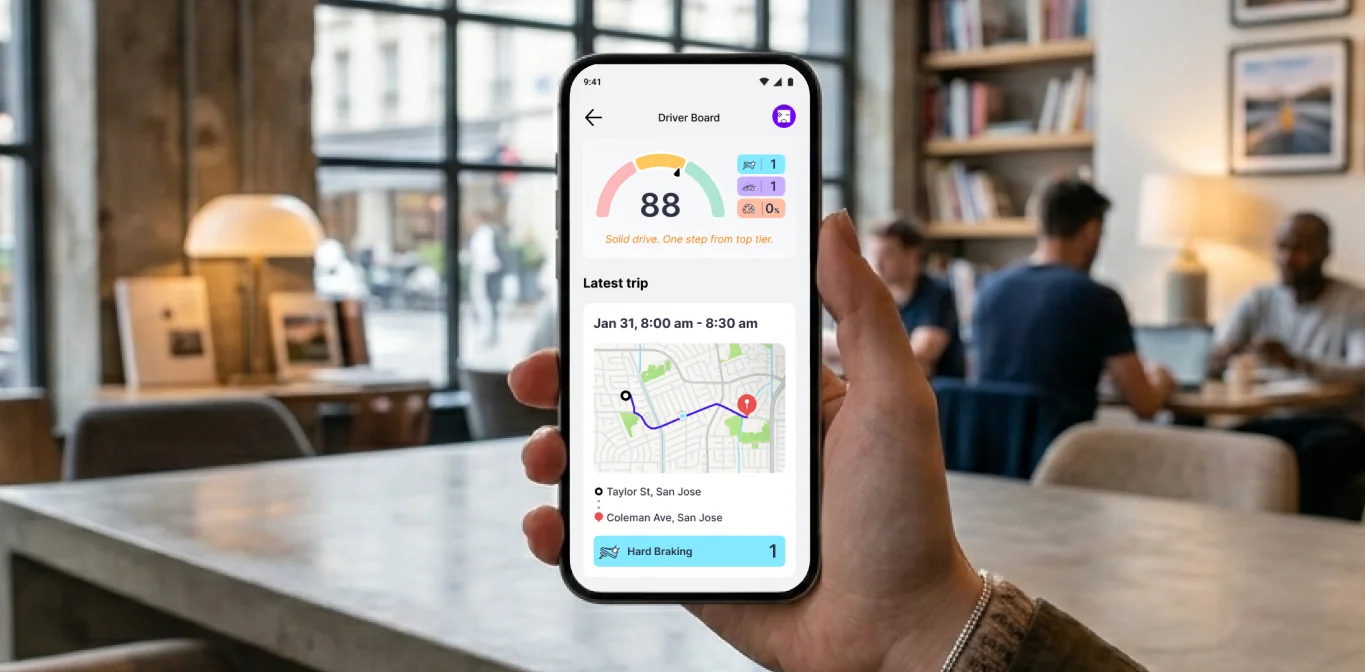
Novo Driver App held in a cafe: the Driver Board screen showing a Safety Score of 88 and the latest trip

Defining the driver experience

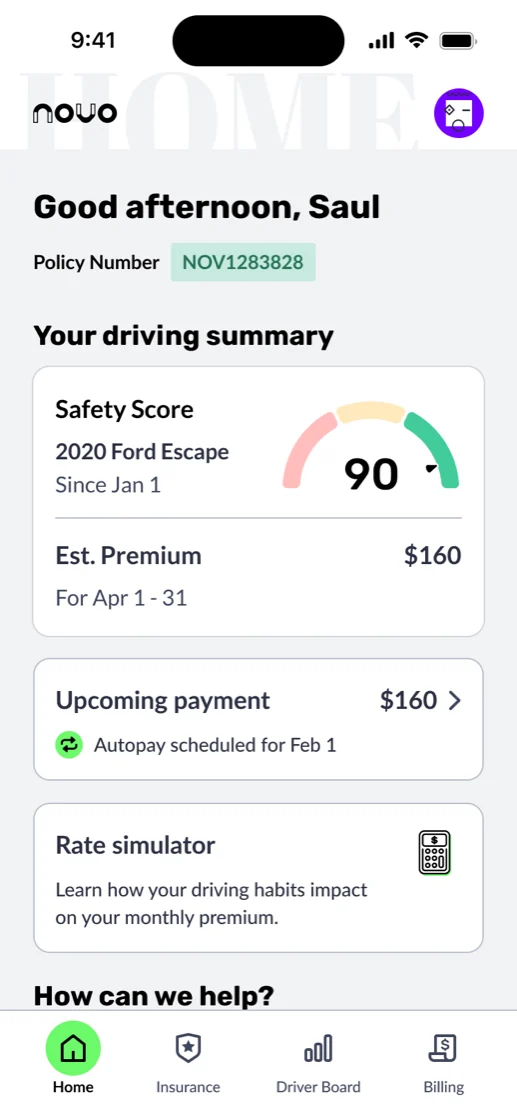
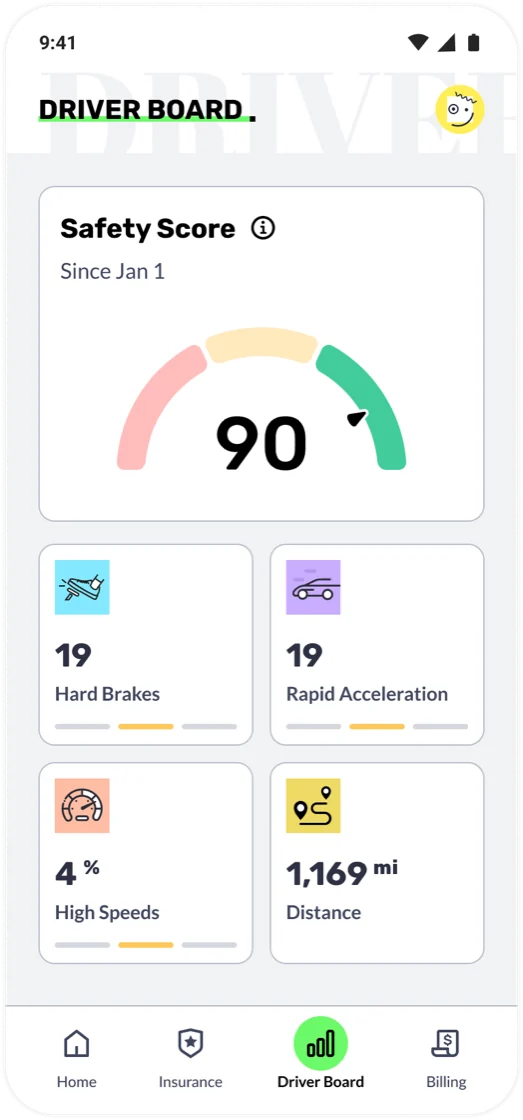
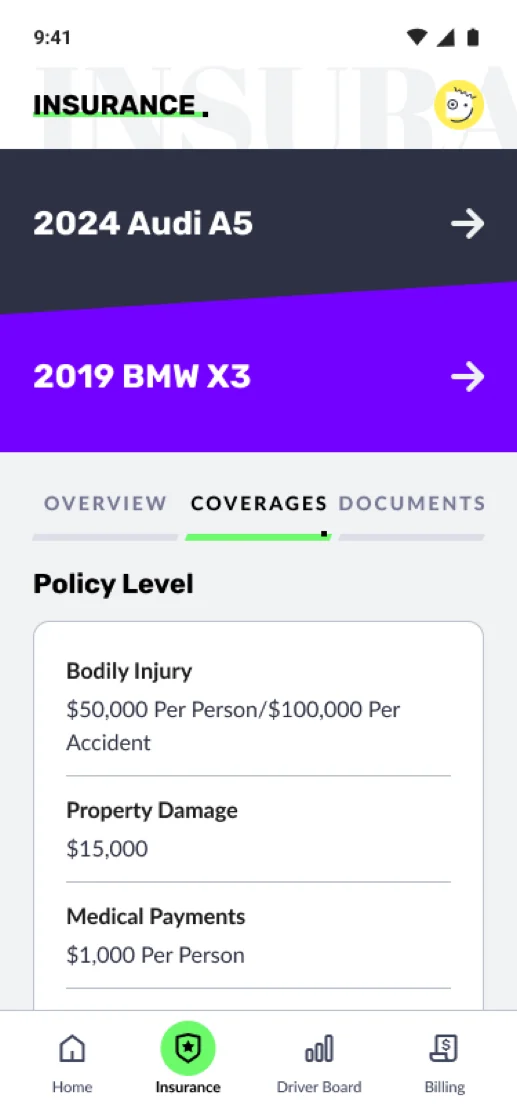
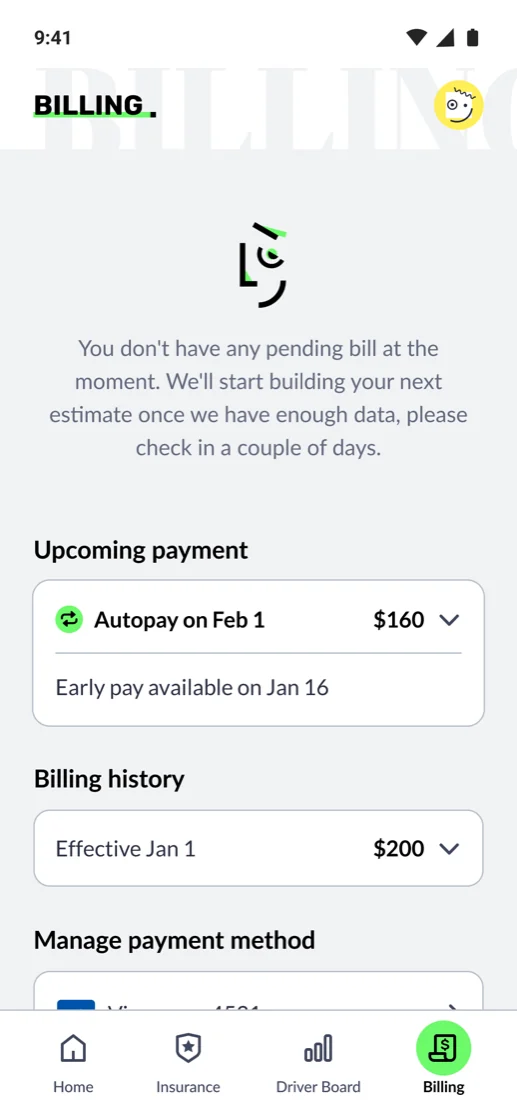
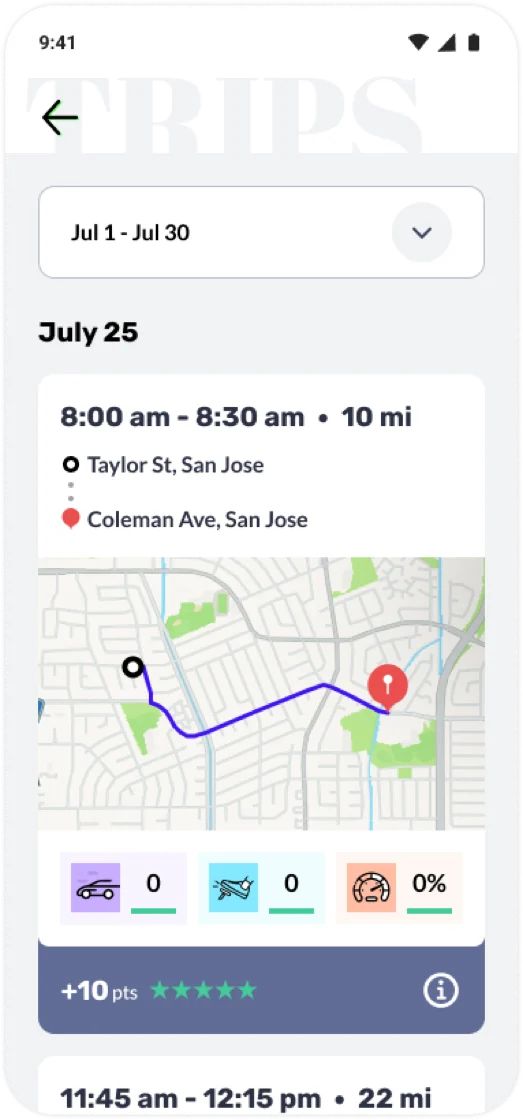
Novo Driver App home screen: driving summary with a live Safety Score of 90, estimated premium, upcoming payment, and rate simulator Novo Driver App Driver Board screen: a Safety Score of 90 with breakdown cards for hard brakes, rapid acceleration, high speeds, and distance driven Novo Driver App Insurance screen: policy vehicles with coverage details for bodily injury, property damage, and medical payments Novo Driver App Billing screen: upcoming autopay, billing history, and managed payment methods Novo Driver App Trips screen: a list of recent trips with route maps, distance, event counts, and points earned

The Novo Driver App is the policyholder's core experience. It connects to telematics data to track real driving behavior, such as hard braking, rapid acceleration, and speeding events. Those inputs feed a live Safety Score, which in turn influences the insurance premium.

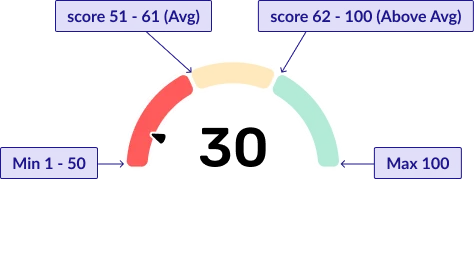
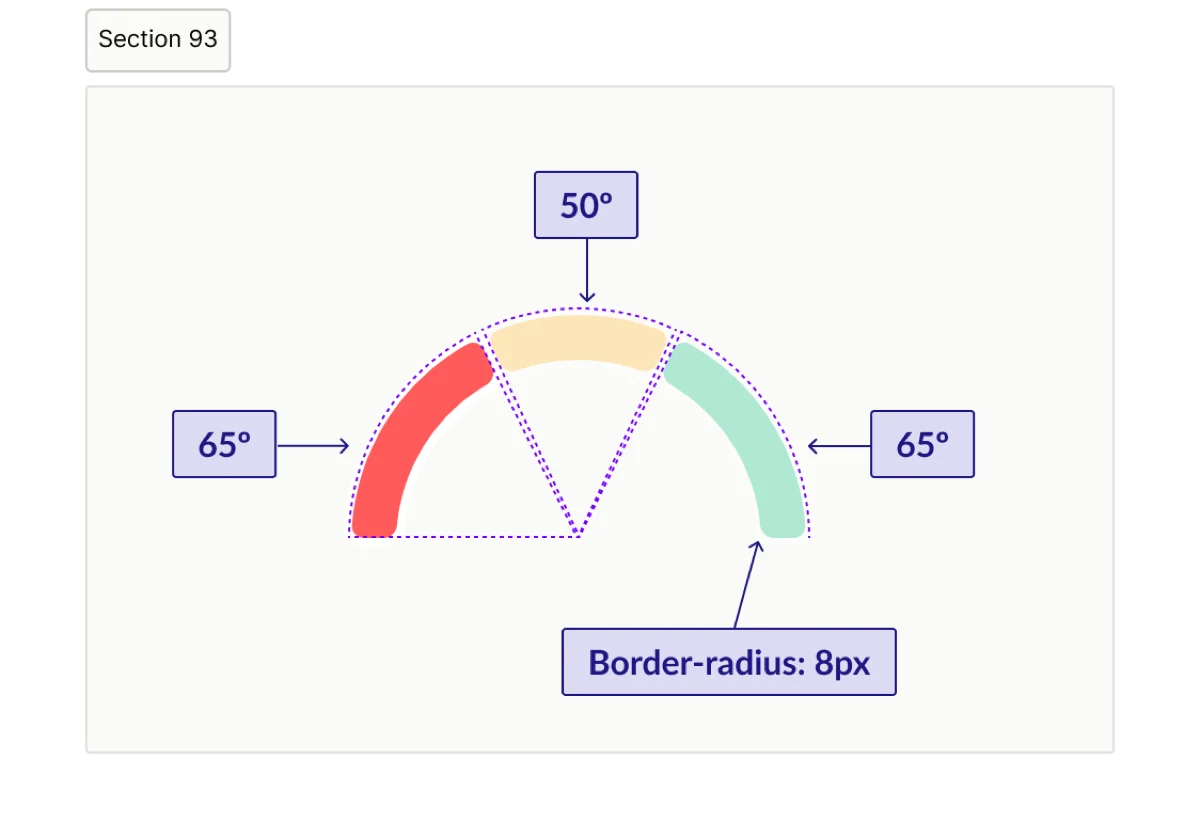
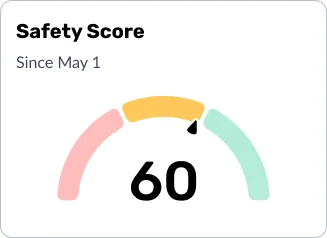
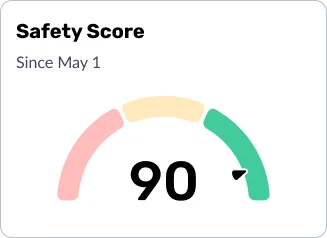
Safety Score gauge legend: Min 1 to 50 in the red zone, 51 to 61 average in the yellow zone, 62 to 100 above average in the green zone, max 100 Safety Score gauge design spec: 50 degree center arc, 65 degree side arcs, and 8px border-radius on the segment ends
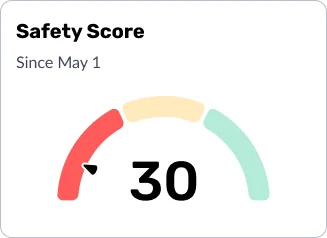
Safety Score card showing a low score of 30, needle in the red zone Safety Score card showing a mid score of 60, needle in the yellow zone Safety Score card showing a high score of 90, needle in the green zone

Beyond that, the app handles onboarding, document upload, viewing insurance documents, claims filing, and personalized engagement features tied to your telematics data. I own the end-to-end design for the entire app.

Enabling self-service everywhere

A core design principle running through the Novo App is self-service first. Rather than relying on customer service reps to shepherd users through each step, which introduces delay, dropout, and friction, I designed in-app flows that let customers complete critical tasks themselves, on their own time.

01

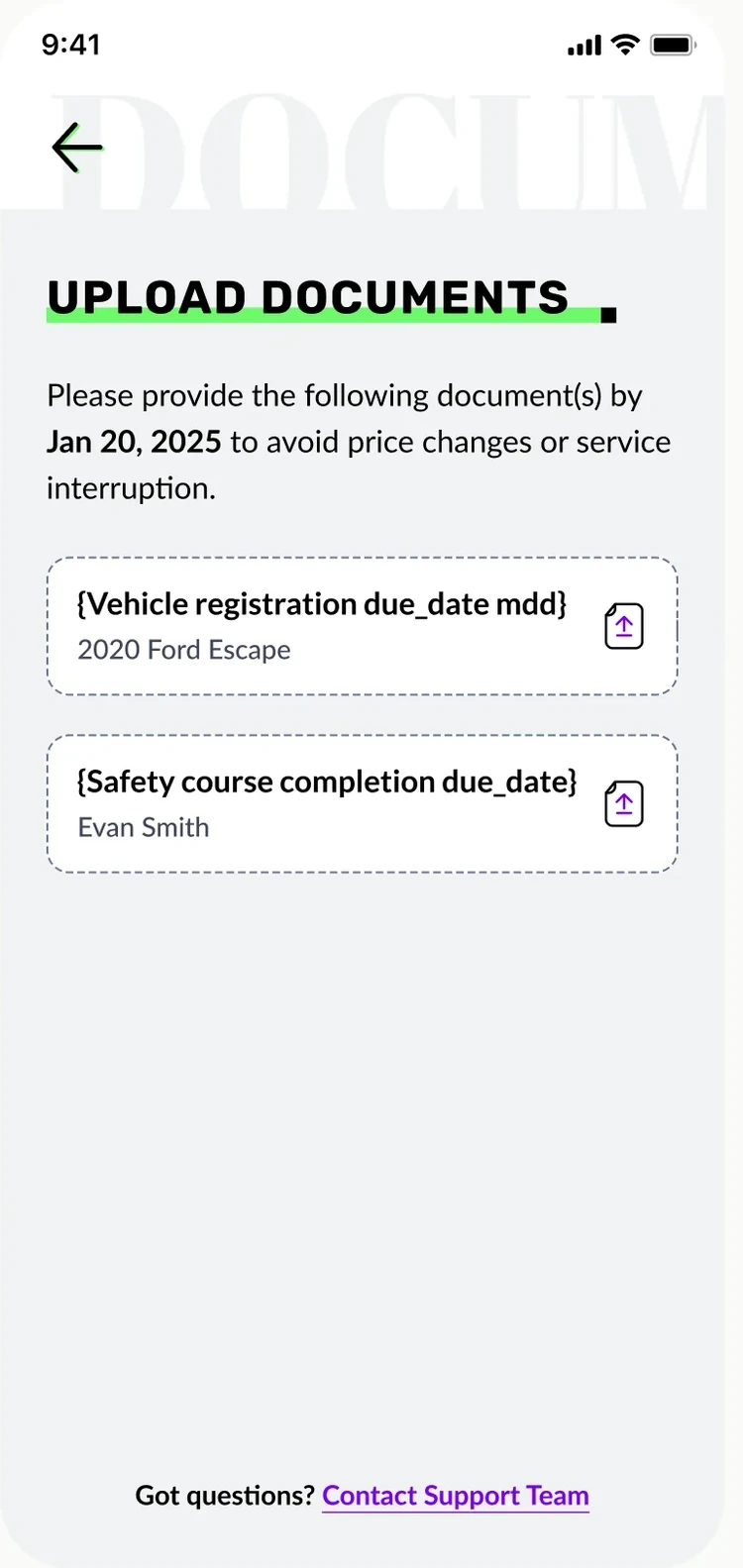
Document & Photo Upload

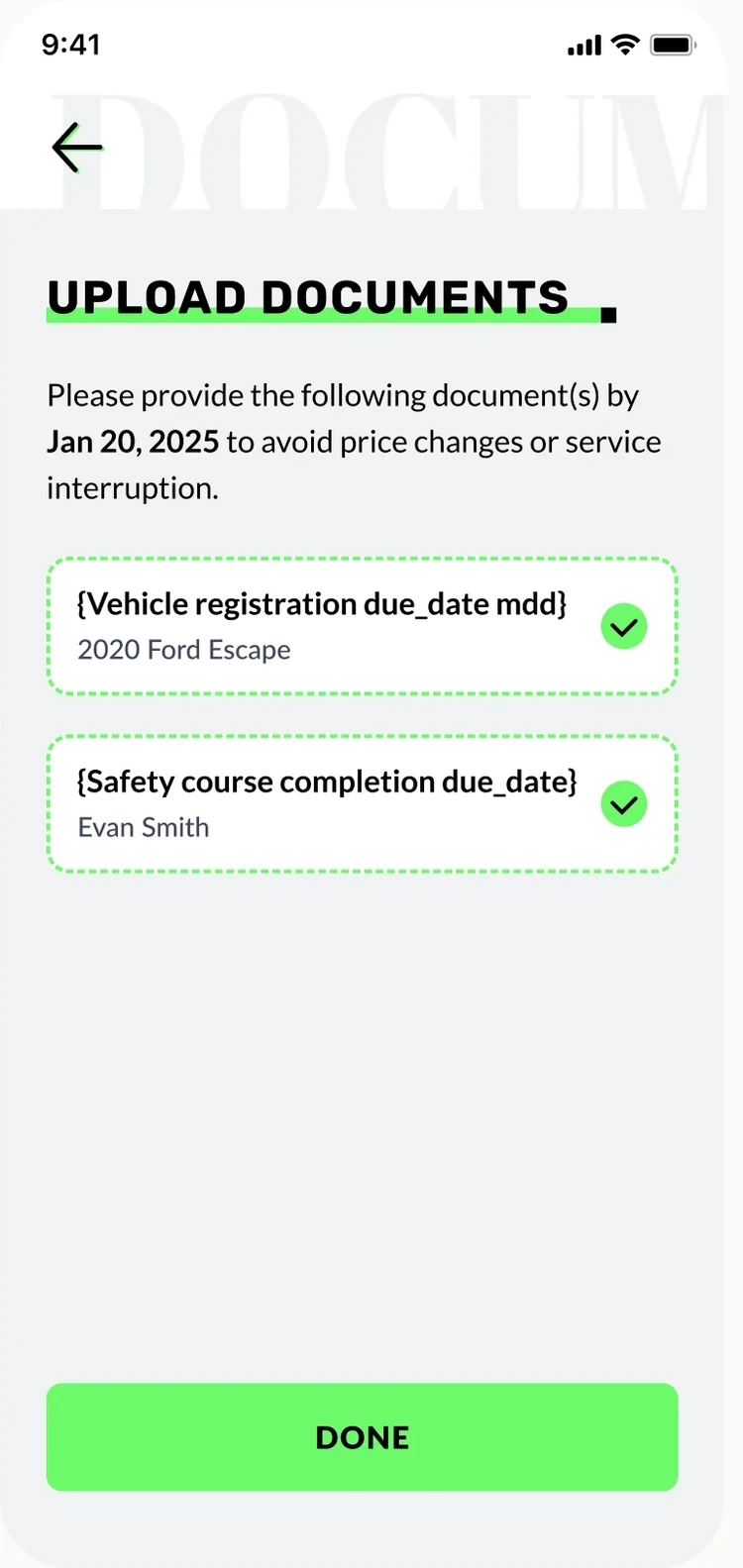
Document & Photo Upload interaction flow

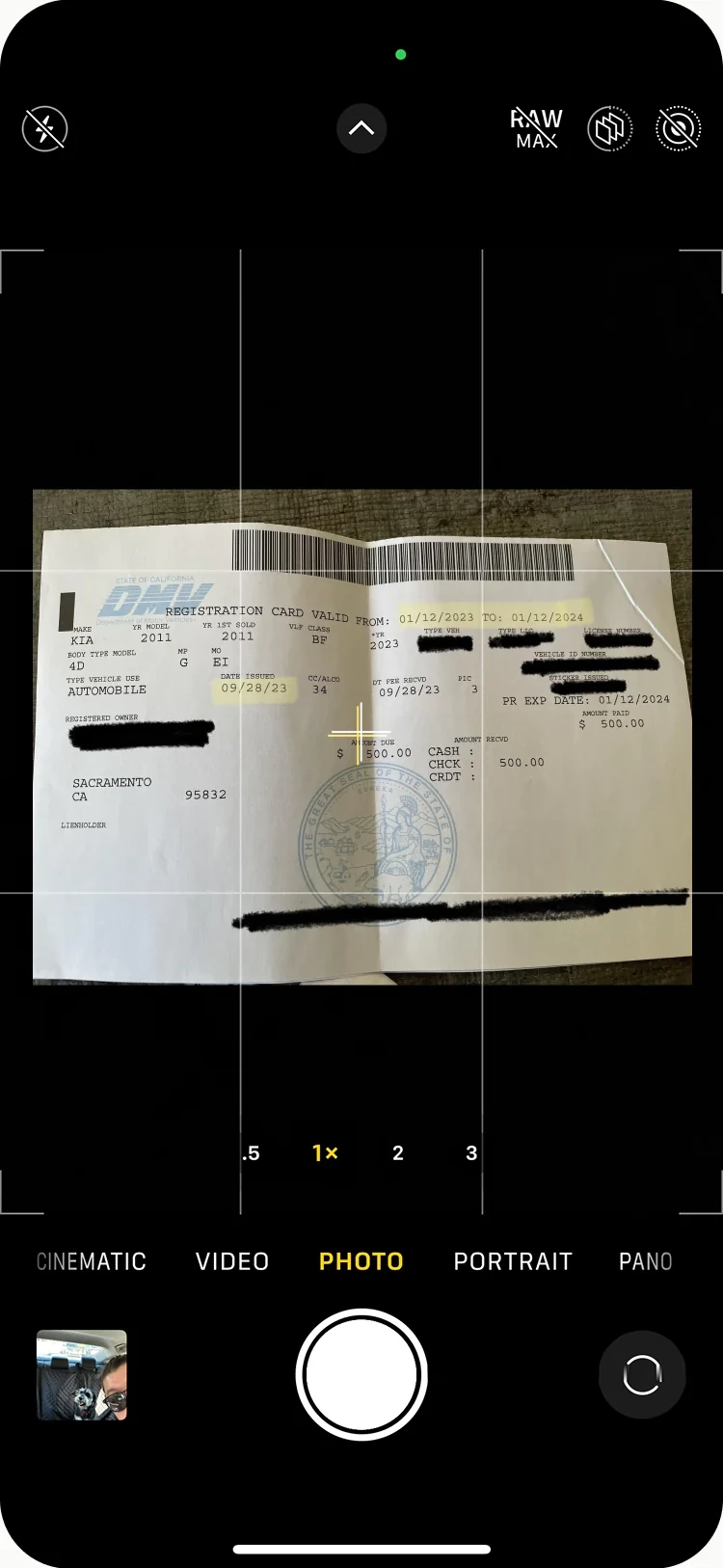
When customers first sign up for Novo, they need to provide supporting documents. This includes vehicle photos, proof of prior insurance, driver license, etc.

Previously, a customer service rep reached out by email or phone to collect them. The result was predictable: completion hovered in the low forties. The outreach was asynchronous, customers had mentally moved on, and there was no single clear action to take.

By building document upload directly into the onboarding flow, surfaced immediately after the app download, we shifted the timing to when attention is highest. The task appears while signup is still top of mind, motivation is still present, and the path forward is clear.

Before
  • CSR contacts customer post-signup by phone or email
  • Customer manually sends documents on their own
  • No in-app prompt or guidance
  • Momentum lost between signup and outreach
After
  • Upload step presented immediately after app download
  • In-app guided flow with clear instructions
  • Task completed while intent is highest
  • No dependency on CSR scheduling
Design Principle

Timing is a design decision. Showing the right task at the right moment, when motivation is at its peak, is often more impactful than the task itself.

02

Multi-Driver Policy Setup

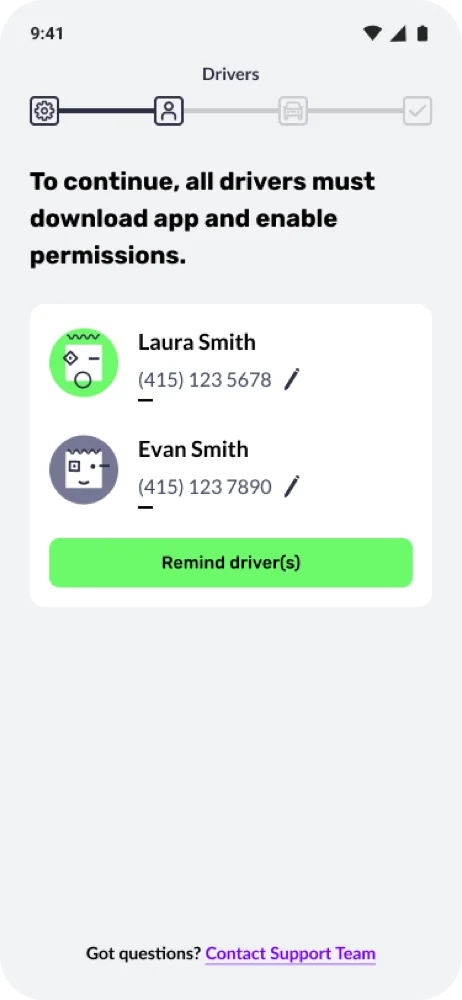
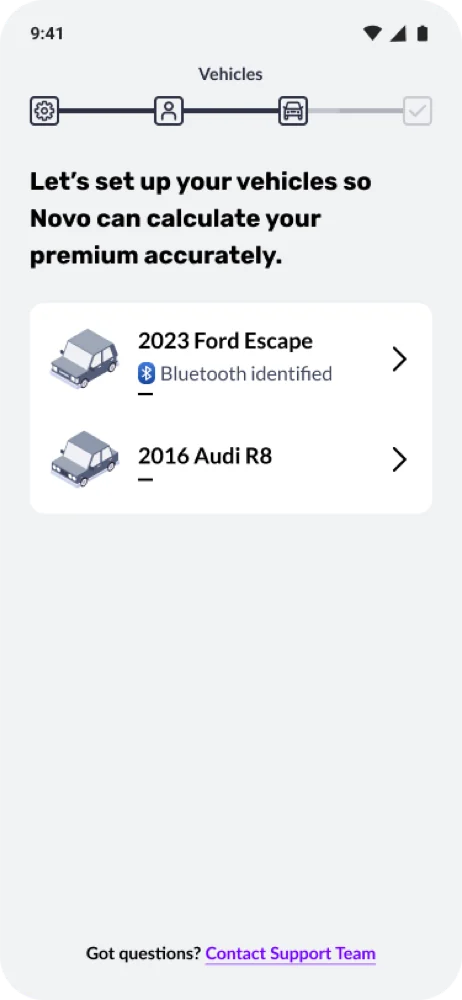
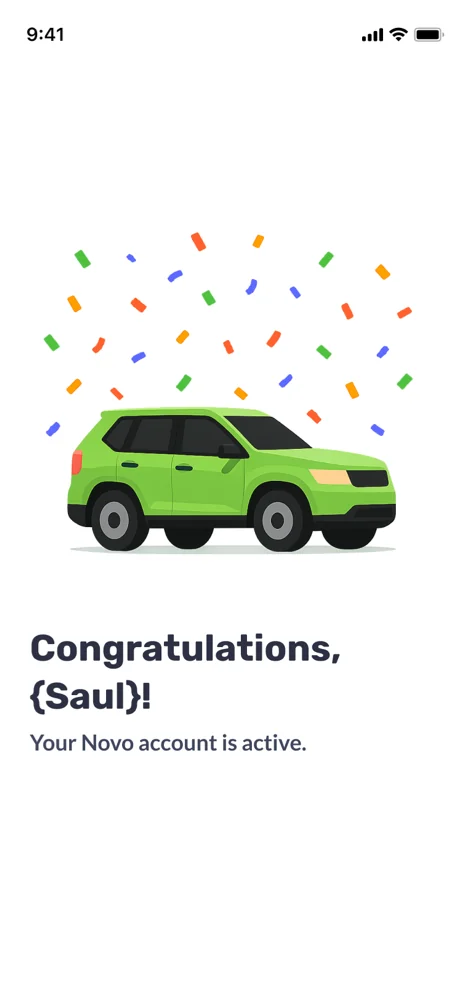
Multi-driver policy setup flow: the blocked-access screen gating insurance documents until every driver on the policy completes app setup and vehicle pairing

Because Novo is a telematics-based product, every driver on a policy must install the app on their own device and pair it to a vehicle. For single-driver policies, this is straightforward. But for multi-driver households, setup completion dropped dramatically, for a simple reason: you can't control what other people do.

The original design treated this as an individual task for each driver to complete independently. In practice, that meant most households never reached full setup. Under 10% of multi-driver policies completed the process.

My redesign introduced a gating mechanism: the primary policyholder, the person who signed up, can't access their insurance documents until every driver on the plan has completed setup. That single change restructured the incentive entirely. The primary driver now has direct, personal motivation to follow up with the rest of their household, placing accountability exactly where it belongs.

Multi-driver setup screen: all drivers must download the app and enable permissions, with a remind drivers action Multi-driver setup screen: pairing each vehicle so Novo can calculate the premium accurately Multi-driver setup screen: setup complete, the Novo account is now active
Design Principle

When you need multiple people to act, find the one person with the most to lose, and make sure they feel it. Gate the value behind full completion, and let peer accountability do the work.

03

In-App Claims Filing

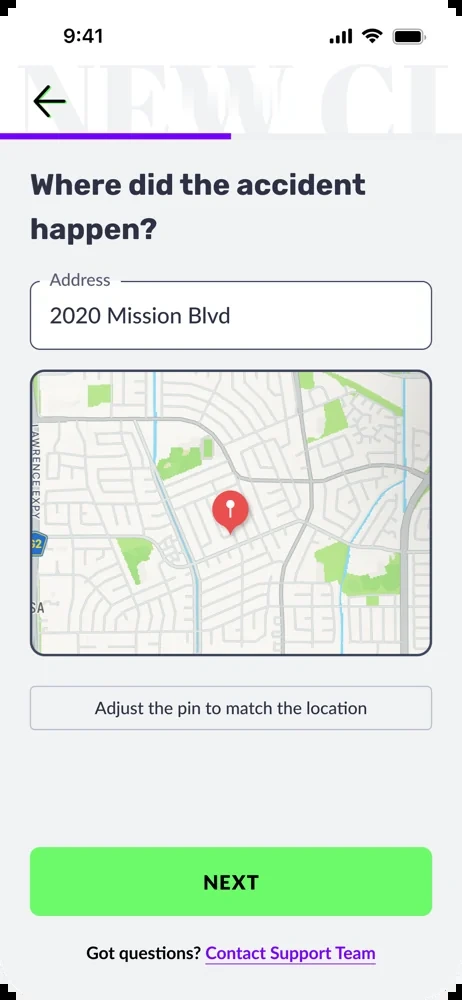
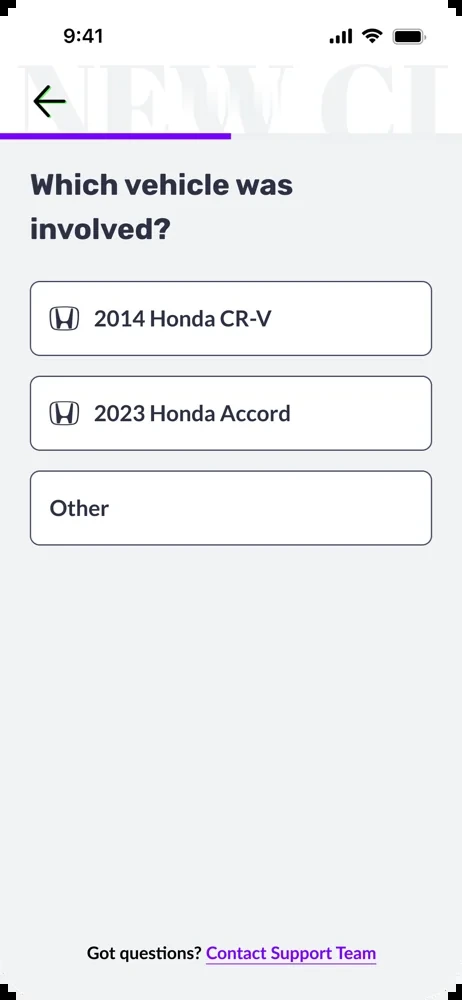
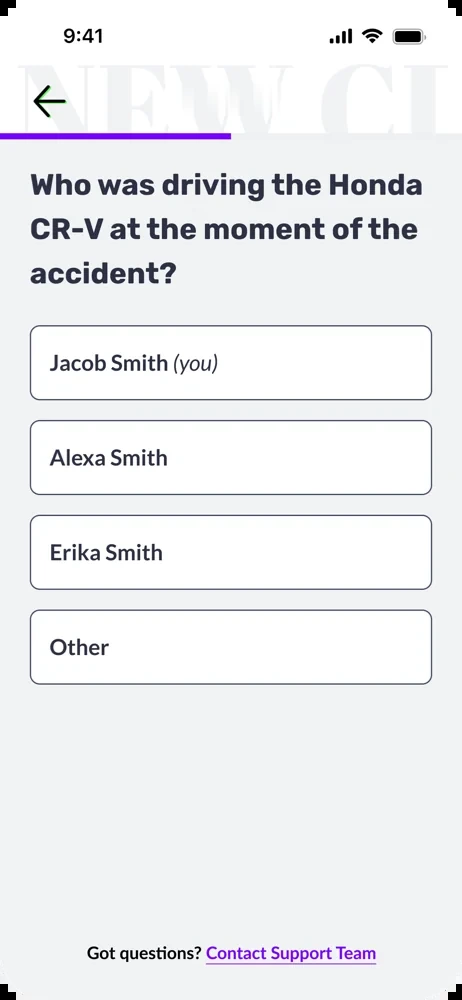
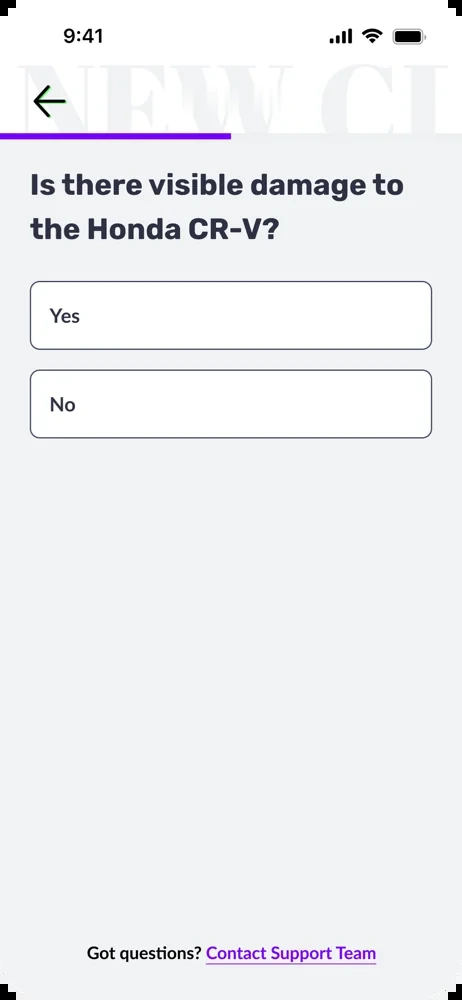
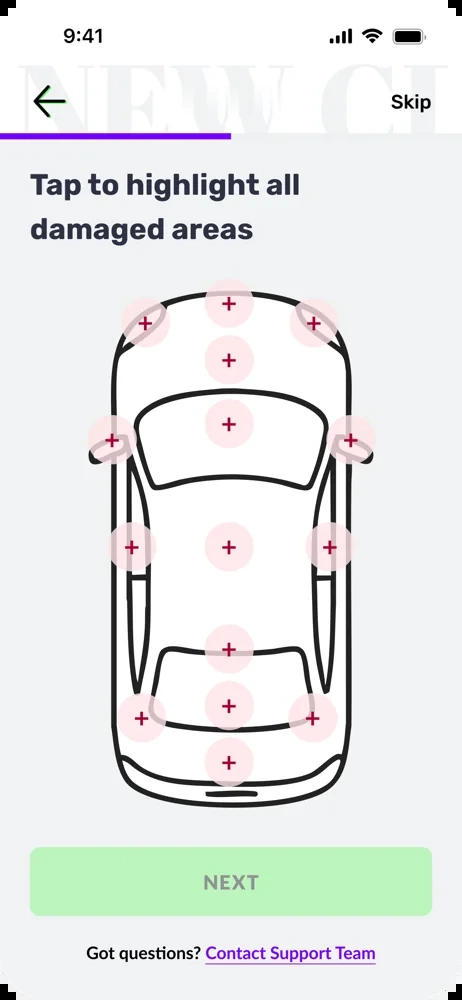
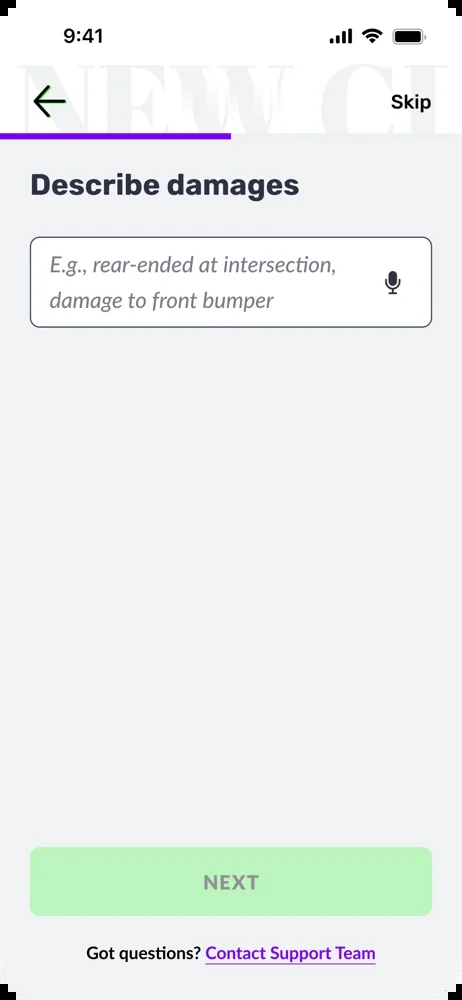
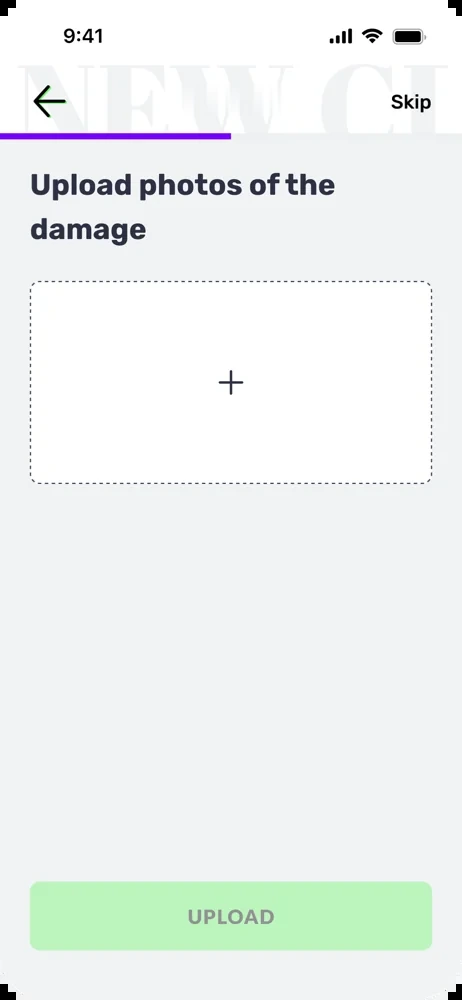
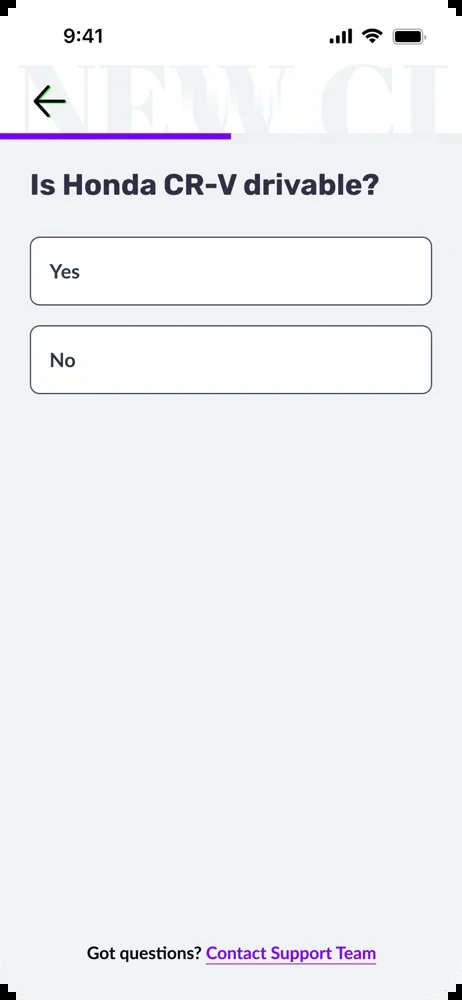
End-to-end crash-detection claims flow: a crash-detection screen branching through emergency triage into 911 and Novo CSR paths, then a self-service sequence covering incident details, vehicle drivability, damage capture, other-driver details, and submission

Filing an insurance claim is one of the highest-stakes, highest-stress moments in a customer's relationship with their insurer. Prior to this feature, customers had no in-app path: they had to call or email, navigate availability, and wait.

I designed a comprehensive end-to-end claims flow covering collision, glass damage, and other comprehensive damage. The experience begins with an emergency triage step that confirms the customer is safe and provides a direct path to emergency services if needed. From there, customers can connect with a CSR or proceed through self-service.

The self-service flow captures all necessary information:
01Date, time, and location of the incident
02Which vehicle was involved (covered policy vehicle or rental)
03Visible damage: location on vehicle and description
04Photo uploads of the damage
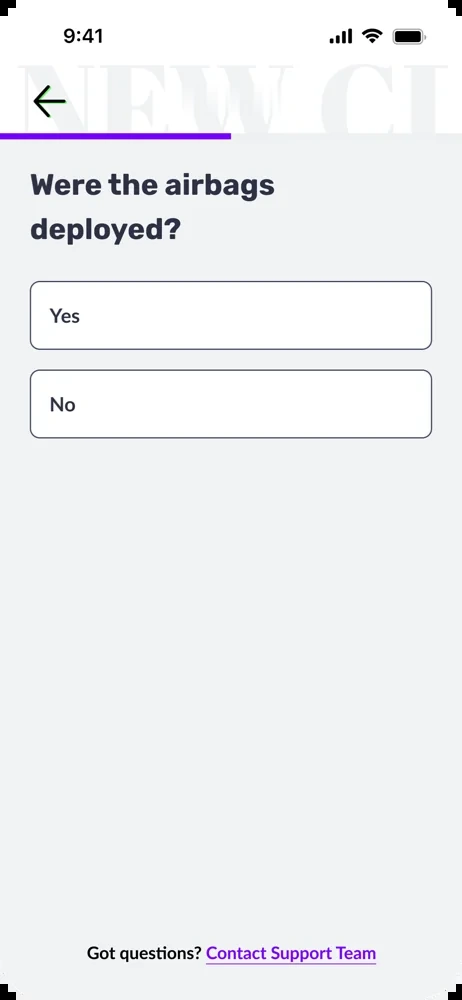
05Vehicle drivability and airbag deployment status
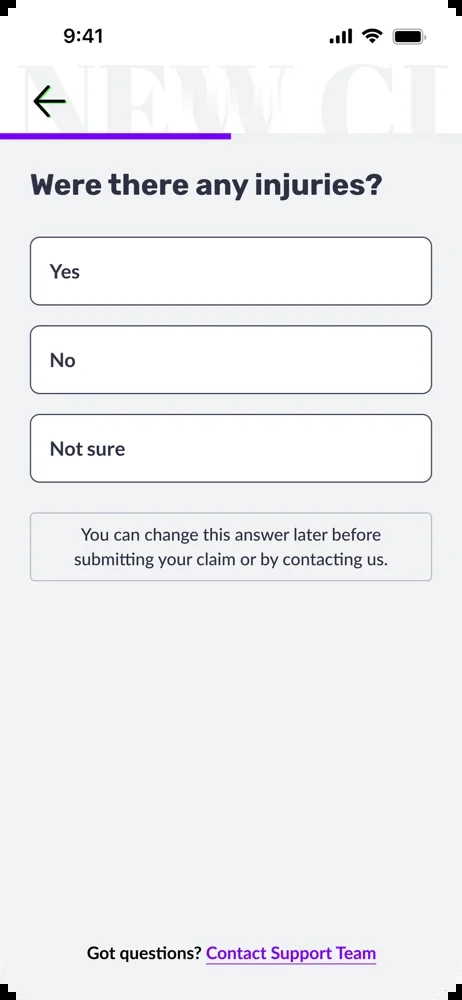
06Injury reporting
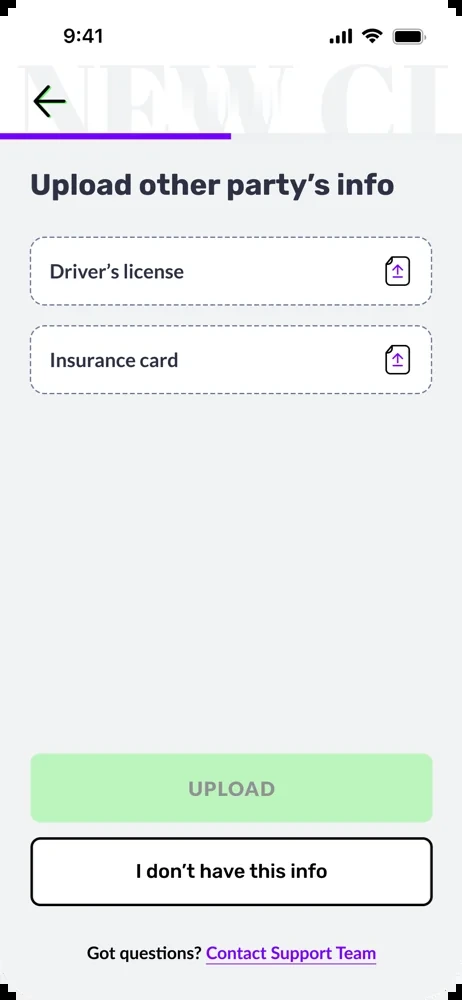
07Third-party information: driver's license and insurance card upload
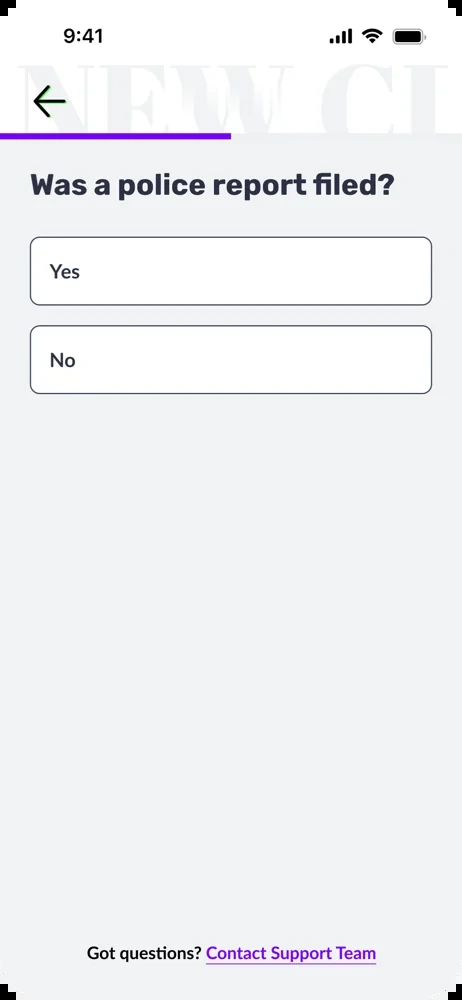
08Police report confirmation
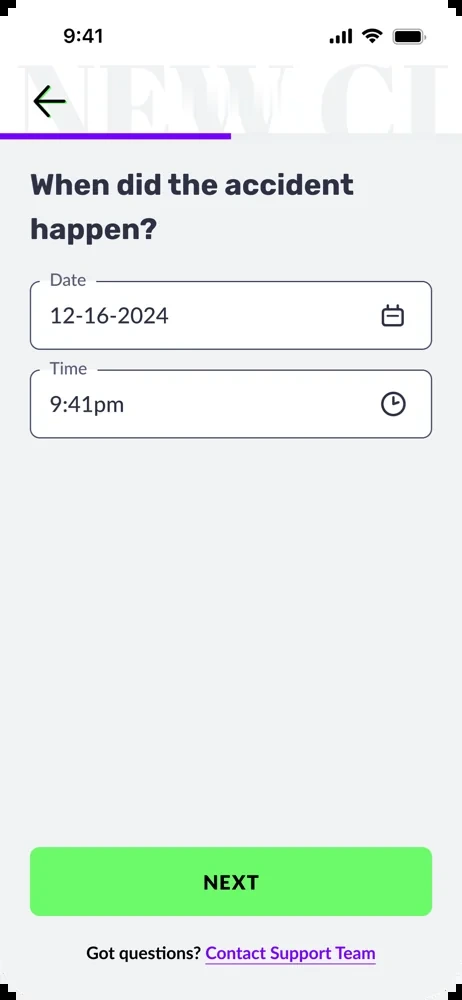
Claims flow screen: when did the accident happen, date and time inputs Claims flow screen: where did the accident happen, address field with map and adjustable pin Claims flow screen: which vehicle was involved, choosing between policy vehicles or other Claims flow screen: who was driving the vehicle at the moment of the accident Claims flow screen: is there visible damage to the vehicle, yes or no Claims flow screen: tap to highlight all damaged areas on a top-down diagram of the car Claims flow screen: describe damages free-text field with voice input Claims flow screen: upload photos of the damage Claims flow screen: is the vehicle drivable, yes or no Claims flow screen: were the airbags deployed, yes or no Claims flow screen: were there any injuries, yes, no, or not sure Claims flow screen: upload the other party's driver license and insurance card Claims flow screen: was a police report filed, yes or no

After submission, customers can track their claim status directly in the app and receive an estimated resolution timeline, reducing the need for follow-up calls and setting clear expectations.

This feature is designed and ready for launch. Based on how the other self-service features performed, where moving tasks in-app consistently drove step-change improvements, we expect strong results.

Stakeholder Impact

Throughout multiple rounds of design reviews, customer service representatives consistently reported that these self-service features meaningfully reduced their inbound volume of routine requests: document submissions, setup guidance, and status questions. Offloading those repetitive tasks lets CSRs focus on the complex issues that genuinely need human expertise.

Results that speak for themselves

These aren't incremental improvements. Each metric reflects a fundamental redesign of how customers move through a step, and the numbers show it.

Document Upload Completion
Was: low 40s%
90%+
From reactive CSR outreach to in-app, immediate onboarding prompt.
Multi-Driver Policy Setup
Was: <10%
68%
Gating policy access drove peer accountability and full household setup.
Customer Churn Rate
Was: 25%
5%
Across all features shipped, churn dropped from a quarter of users to nearly negligible.
Novo Driver App screen: confirming the 2023 Ford Escape is connected so only trips taken in that vehicle count toward the Safety Score
NPS Score
50+
App Store Rating
4.5★
Churn Reduction
20%
Setup Improvement
2x

What pulls users back?

Retention in an insurance app is a difficult design challenge. Unlike a social product or a game, there's no inherent reason to open an insurance app every day. Most apps in this category are opened reactively: when something goes wrong, or when a payment is due.

The Novo App works differently. The safety score creates a pull-based engagement loop: because the score updates with every drive, customers have a direct, ongoing reason to return. Did that commute help or hurt their score? How does this week compare to last?

That dynamic is reinforced by the personalized coaching layer. The more driving data accumulates, the more targeted the feedback becomes, surfacing a driver's specific patterns and weaknesses with actionable advice. The app doesn't just judge; it teaches. Over time, this builds a habit loop grounded in genuine usefulness rather than manufactured urgency.

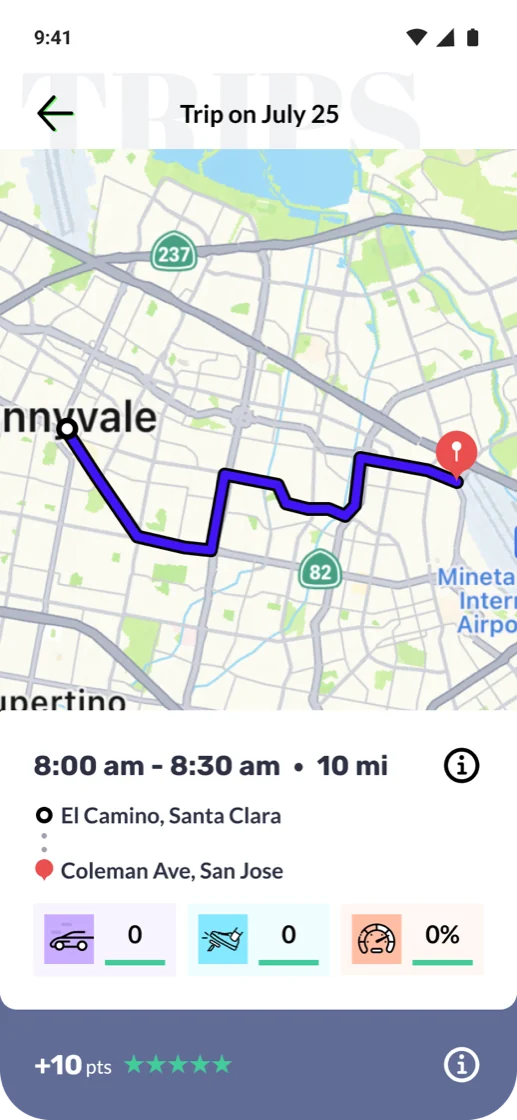
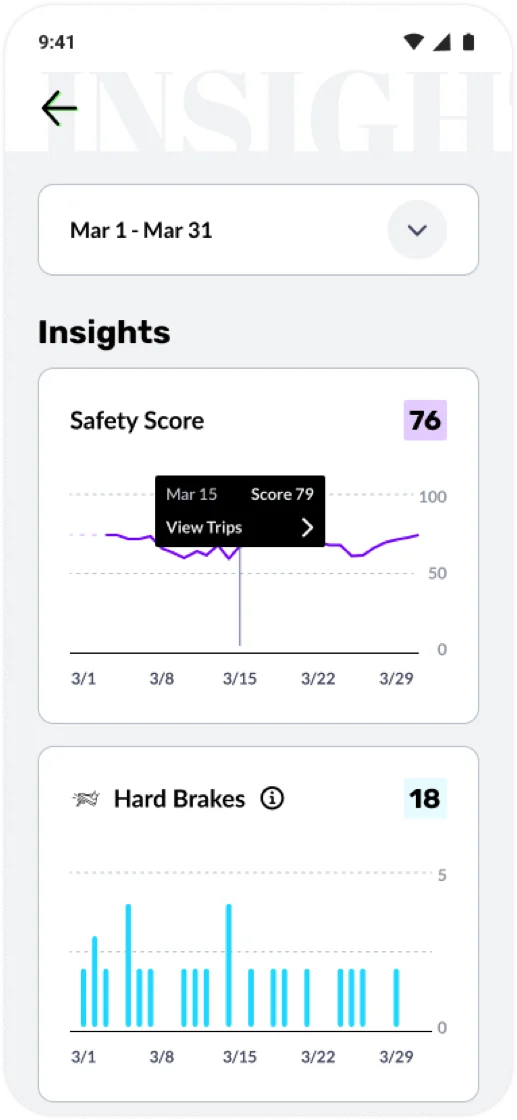
Novo Driver App trip detail screen: a mapped route with time, distance, event counts, a 5-star rating, and points earned Novo Driver App Insights screen: monthly trend charts for Safety Score and hard brakes with a tooltip showing a daily score
Design Rationale

A safety score that changes every time you drive is a variable reward. The combination of real stakes (insurance premiums), real feedback (personalized coaching), and a visible number to improve creates a retention mechanism that doesn't feel artificial, because it isn't.

What worked (and what I'd revisit)

Across the board, the self-service model worked. Moving tasks from CSR-dependent outreach into in-app flows produced measurable step-change improvements every time it was applied. The pattern was consistent enough to become a design principle: if a task can be completed in-app, it should be.

The safety score engagement loop worked well for a specific segment: customers who drive safely. For them, the app validates good behavior, reinforces it, and gives them a reason to keep engaging. The retention numbers reflect that.

Known Limitation

The current experience is optimized for drivers who score well. For those who don't, the app risks feeling punitive: a constant record of what they're doing wrong. Negativity fatigue is a real risk here, and we don't want to push the customers most in need of improvement out of the product. It's a tension we've identified and are actively working to address.

The business model also has a natural selection effect: better drivers stay, worse drivers churn. While that's workable in the short term, it's not the long-term vision. The goal isn't to cream the best drivers; it's to help all drivers improve and be rewarded for it.

That's the challenge I'm exploring in the Good Miles project: how to use gamification and positive reinforcement to engage and retain drivers who are struggling, rather than letting the product implicitly push them away.